curl download error

Avatar
  • updated
  • Under review

Hi,

This windows command:
curl --location --max-redirs -1 --header 'X-OSMB-Api-Key: xxxxxxxxxxxxxxxxxxxxxxxxxxxxxxxxx' -o boundary.geojson "https://osm-boundaries.com/api/v1/download?db=osm20251201&osmIds=-21335&format=GeoJSON&srid=4326&landOnly=true

gives this:

curl: (3) URL rejected: Bad hostname
Unauthenticated and basic-level members cannot use the database osm20251201.

Of course I've tried with my api key.

Why?

Pinned replies
Avatar
Zoltán Komáromy
  • Answer

I've got it, it works now!

the single quote ' is not working on win (because of the & characters in the url). so it should replaced by double quotes " in the header also:

curl --location --max-redirs -1 --header "X-OSMB-Api-Key: xxxxxxxxxxxxxxxxxxxxxxxxxx" --output boundary.geojson "https://osm-boundaries.com/api/v1/download?db=osm20251201&osmIds=-21335&format=GeoJSON&srid=4326&landOnly=true"

Avatar
Magnus
  • Answered

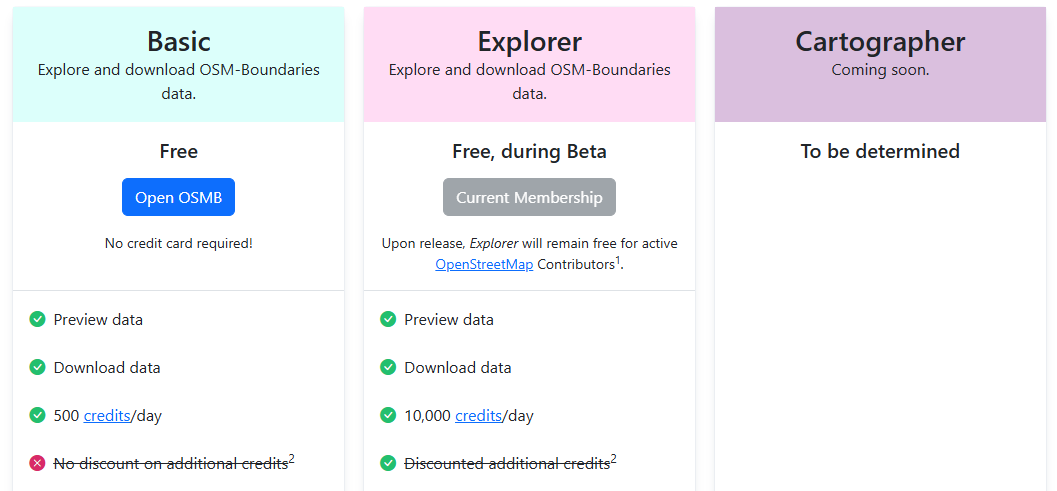
You need to have the Explorer plan activated at https://osm-boundaries.com/about/membership .

Avatar
Zoltán Komáromy

I already have explorer plan...

curl: (3) URL rejected: Bad hostname
Unauthenticated and basic-level members cannot use the database osm20251201.

download works from browser, but not from curl...

Image 52

Avatar
Magnus
  • Under review

You are right, there seem to be some form of bug here. I can reproduce this. We'll look into it.

Avatar
Magnus

Actually, I can't reproduce. I didn't have a plan enabled myself (sloppy of me, after pointing it out here earlier). When I enabled a plan it works fine for me.

I copied your exact URL. I added a double quote at the end since it was missing, and I replaced the xxxxxxxxxxxxxxxxxxxxxxxxxxxxxxxxx string with my own token.

$ curl --location --max-redirs -1 --header 'X-OSMB-Api-Key: MYTOKEN' -o boundary.geojson "https://osm-boundaries.com/api/v1/download?db=osm20251201&osmIds=-21335&format=GeoJSON&srid=4326&landOnly=true"
% Total % Received % Xferd Average Speed Time Time Time Current
Dload Upload Total Spent Left Speed
0 0 0 0 0 0 0 0 --:--:-- --:--:-- --:--:-- 0
100 252k 100 252k 0 0 1381k 0 --:--:-- --:--:-- --:--:-- 1381k
$ zcat boundary.geojson |jq . |head { "type": "FeatureCollection", "features": [ { "type": "Feature", "geometry": { "type": "MultiPolygon", "coordinates": [ [ [


Are you that you have the correct token? Not missing a character for example. If you have, could you try to Log out and re-authenticate via OSM to see if that helps? I think it would give you a new token.

Avatar
Zoltán Komáromy

The original download command works ok on my linux server


The problem may be with Windows11 or the Windows version of curl.

Avatar
Magnus
Quote from Zoltán Komáromy

The original download command works ok on my linux server


The problem may be with Windows11 or the Windows version of curl.

That does sound weird. Sadly we don't have a Windows machine to test with. The relevant part should be the --header option, obviously. Maybe try to investigate if that curl version uses some other option, though it would be strange if it didn't complain that you used an invalid option then.

As a workaround you can try to add &apiKey=xxxx to your url instead of using the X-OSMB-Api-Key header. Note that the get parameter is case sensitive, so make sure you use a capital K.

Avatar
Zoltán Komáromy
  • Answer

I've got it, it works now!

the single quote ' is not working on win (because of the & characters in the url). so it should replaced by double quotes " in the header also:

curl --location --max-redirs -1 --header "X-OSMB-Api-Key: xxxxxxxxxxxxxxxxxxxxxxxxxx" --output boundary.geojson "https://osm-boundaries.com/api/v1/download?db=osm20251201&osmIds=-21335&format=GeoJSON&srid=4326&landOnly=true"